Contents

Be a recognized diver in your community

Certification cards

Dive profile and nitrogen loading (descent)

Dive profile and nitrogen loading (ascent)

Recreational diving and the dive table

Recreational diving and the dive computer

How a dive computer works (1)

How a dive computer works (2)

How a dive computer works (3)

Planning your dive

Dive computer display (1)

Dive computer display (2)

Important operating notes

Emergency procedures


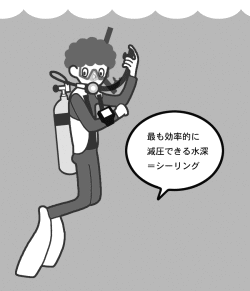
■ Ceiling Depth


If a decompression stop is required, your dive computer will display a ceiling depth. The ceiling depth is the shallowest depth to which you may safely ascend.

As you ascend, nitrogen is released from your body more efficiently at shallower depths. However, ascending above the indicated ceiling depth can cause nitrogen to form bubbles, which may lead to decompression sickness.

If surface conditions are rough and it is difficult to hold a stop exactly at 3 metres, you may remain slightly deeper (for example, at 5 metres). In this case, the computer will continue to display the required decompression time.

Ceiling depth display example

■ Floor Depth


When a decompression stop is required, the floor depth is the deepest depth at which the displayed decompression time will not increase.

If you descend deeper than the floor depth, additional nitrogen absorption occurs, and the required decompression time will increase.

You may complete your decompression stop between the ceiling depth and the floor depth. However, to minimize decompression time, you should remain as close as possible to the ceiling depth.


BACK   NEXT

© net-diver school. 2006. All rights reserved.